
Hey UXtweakers,
Today we’re sharing another round of updates that make synthesis faster, reports richer, and your research workflow more connected! 🐝
Here’s everything that’s new.
Insights editor: now available for all tools
Whether you’re running moderated or unmoderated studies, card sort, tree test, survey, or prototype test — you can now build stakeholder-ready reports directly inside UXtweak, connected to the data and context that backs them up.
Here is a quick refresh on what Insights editor lets you do:
👉 Embed evidence natively: pull clips, quotes, metrics, and data points directly into your document—no copy-pasting required.
👉 Collaborate in real-time: live presence indicators show who is working in the document, allowing multiple team members to contribute simultaneously.
👉 Rich text formatting: utilize headings, lists, tables, and structured layouts to build your report.
👉 Build your narrative: add commentary alongside your evidence to centralize your storytelling.
👉 Auto-save: everything syncs seamlessly as you work.
👉 Export to PDF: generate polished reports to share across your organization in seconds.
💡 Pro Tip
Each study can host multiple Insights documents. You can use this to tailor reports for different audiences — a high-level summary for leadership and a detailed breakdown for your product or engineering team.
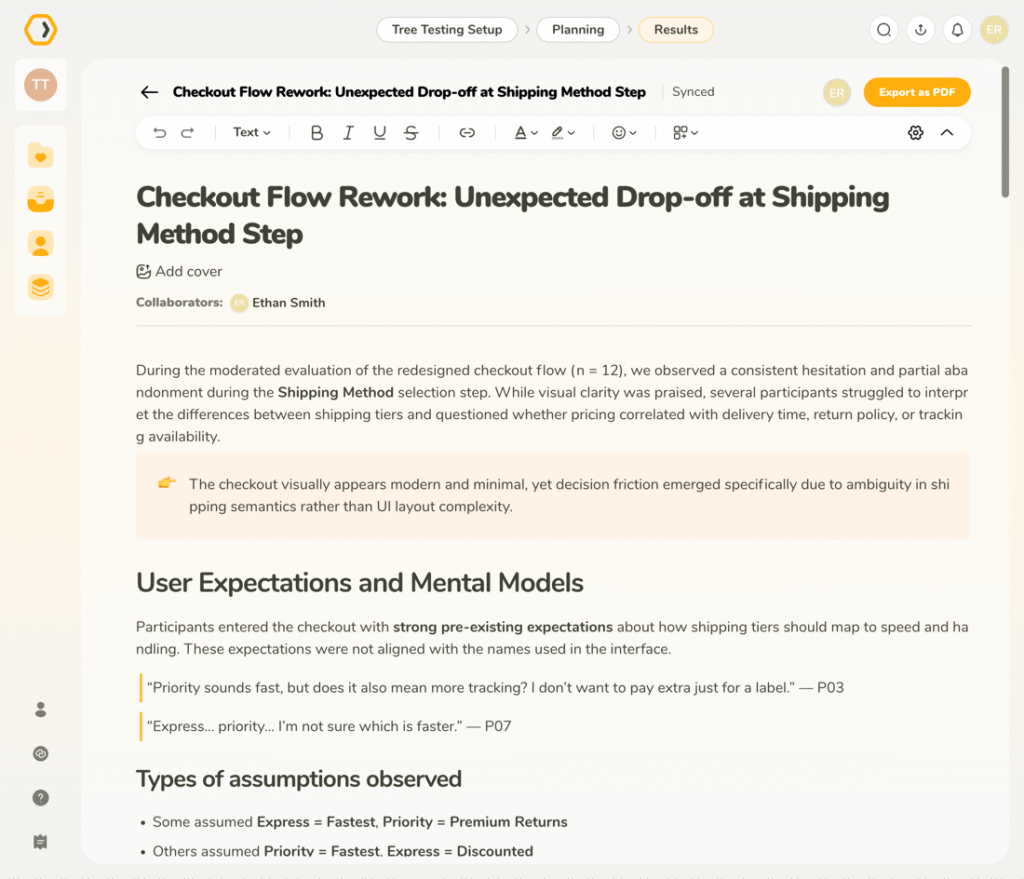
New in Insights editor: add context with question blocks
We are expanding the types of content you can embed in the Insights editor. You can now insert Question Blocks directly into your report, allowing you to reference the exact research questions that drove your findings.
It is a small addition that makes your reports far more complete and easier to follow for stakeholders who “weren’t in the room”.
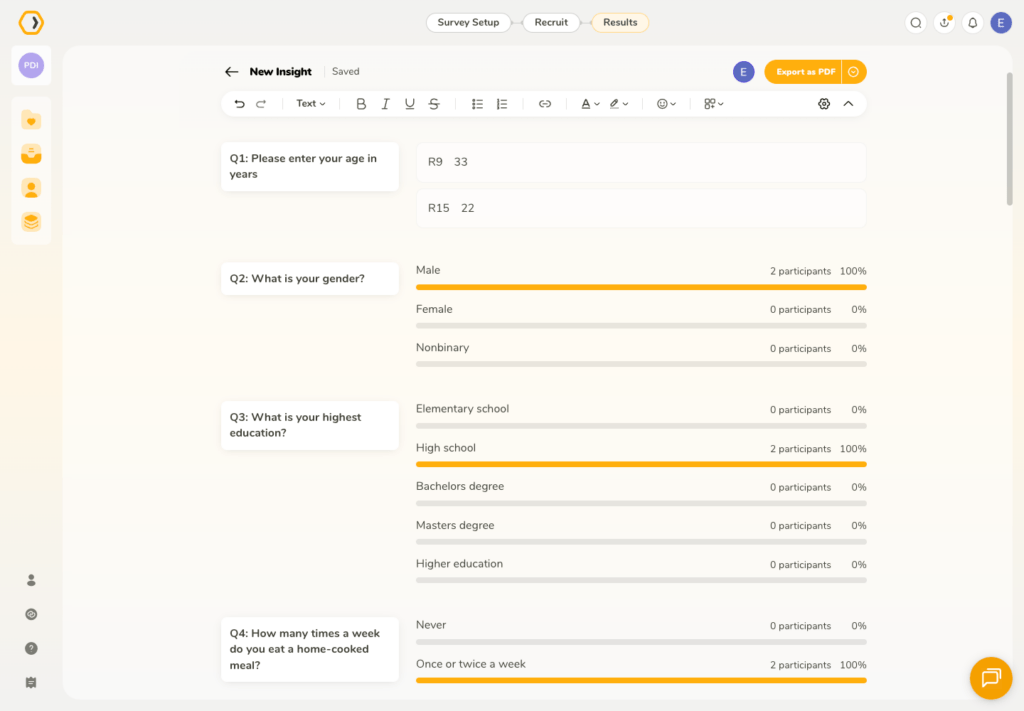
AI-suggested highlights from interviews
Combing through transcripts or rewatching interview sessions to find the moments that matter is incredibly time-consuming, so we built a feature to assist you.
You can now use AI to suggest highlights directly from your transcripts. Simply click Suggest highlights in the Notes and Highlights tab, and the AI will scan your transcript to surface relevant moments. Suggested highlights are visually distinct from manually added ones.
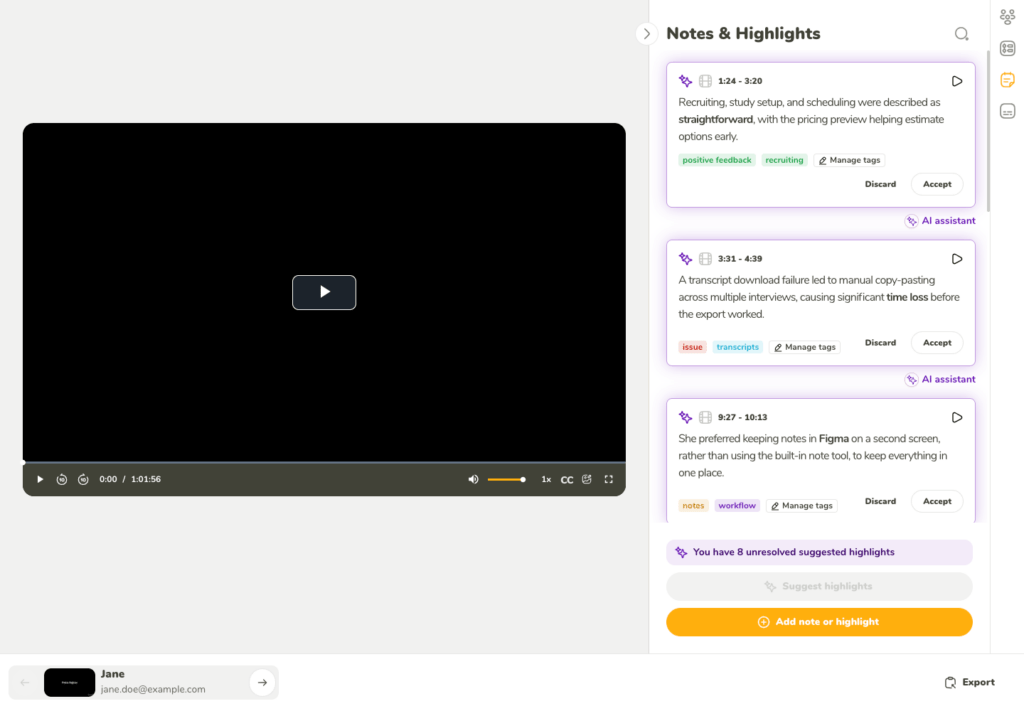
From there, you remain in complete control:
- Accept a suggested highlight to save it to your study.
- Discard it if it is not relevant to your current analysis.
Organize highlights with tags
We have introduced a tagging system for highlights, giving you a flexible way to organize findings by topic, behavior, issue, or insight.
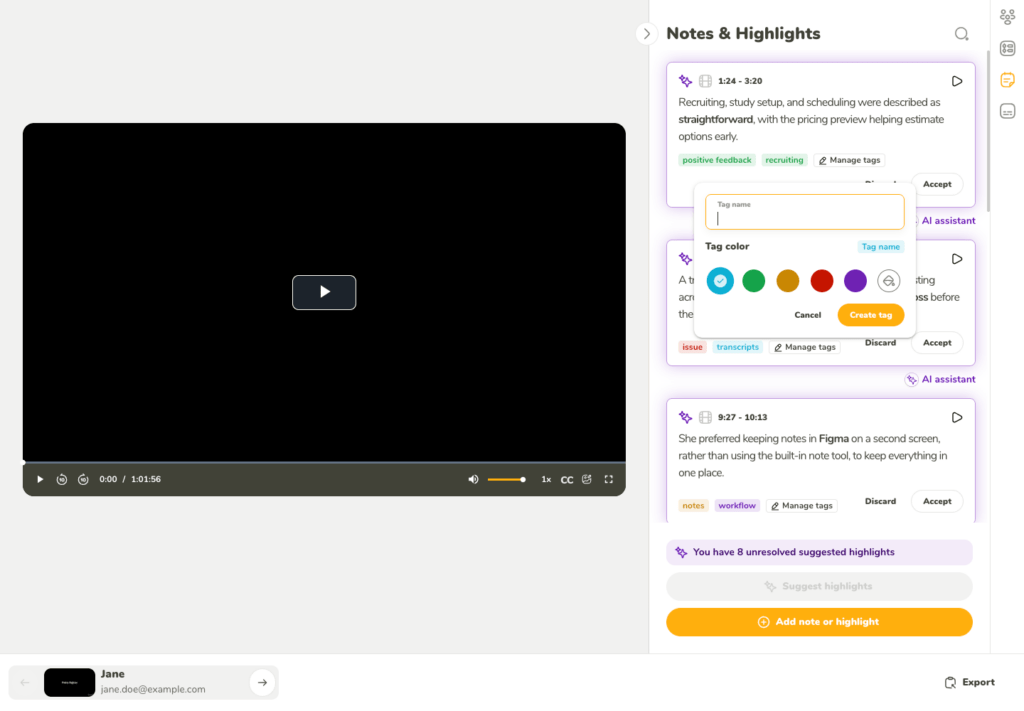
Tags are shared within a single study, meaning you can reuse the same taxonomy across highlights from different participants.
Additionally, when you use AI to suggest highlights, it automatically applies tags —leveraging your existing taxonomy where possible.
You can also manage your taxonomy entirely by hand:
- Add an existing tag — click Manage tags on a highlight, search, and select
- Create a new tag — type a name and press Enter, or click Add tag; a color is assigned automatically.
You can also open the tag editor to set the name and color before creating
- Edit a tag — hover and click the edit icon to rename it or change its color (including custom hex values). Changes apply everywhere the tag is used in the study
- Remove a tag — either through Manage tags, or hover directly on the tag and click ✕
As always, we would love to hear what you think.
Log in to try the updated Insights editor now, and we can’t wait to see the research stories you build!
UXtweak team 🔧🐝



💡 Note: Suggested highlights cannot be edited before accepting. Simply accept the highlight first, and then edit the text, timing, or tags as needed.