
Hey UXtweakers!
Having the right participants is the foundation of great research.
To give you even better control over who enters your studies, we’ve just rolled out another update to UXtweak. From now on, multiple screening questions are supported in all study types.
Whether you are conducting a quick unmoderated test or a complex card sort, you now have the tools to ensure only the most relevant users enter your study.
Versatile question types and multi-step qualification
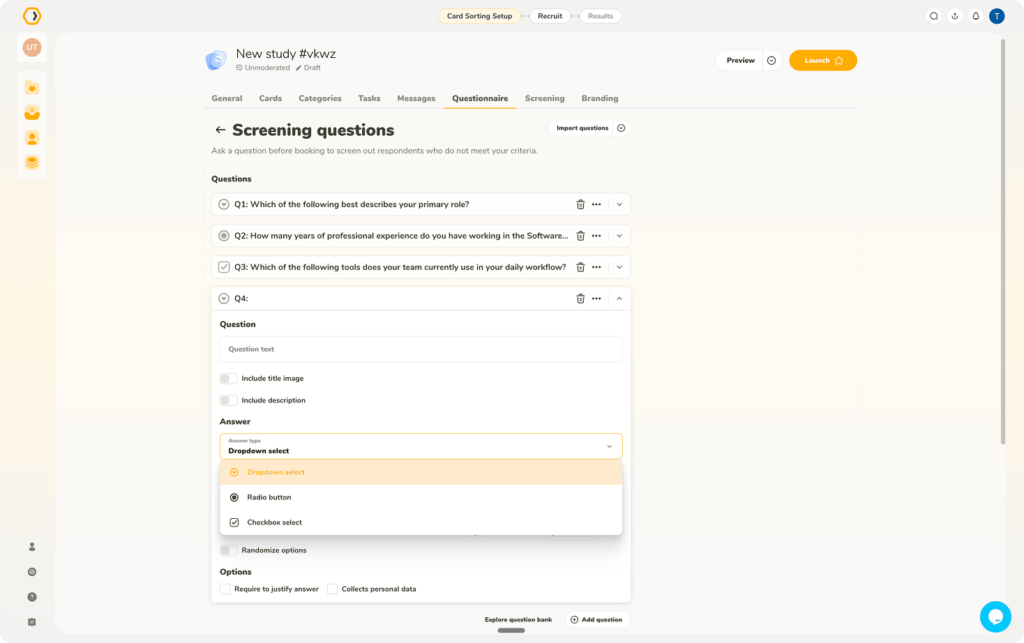
In all study types, you now have access to a range of supported question types for screening questions.
You can build your ideal participant profile using dropdown select, radio button, and check box select formats. This allows for multi-step qualification and better control of which participants you let enter the study.
Advanced knock-out logic
Depending on the chosen question type, you have a range of options on which participants will be entered into the study:
👉 Dropdown & radio buttons: participants can be rejected or not according to the answer options.
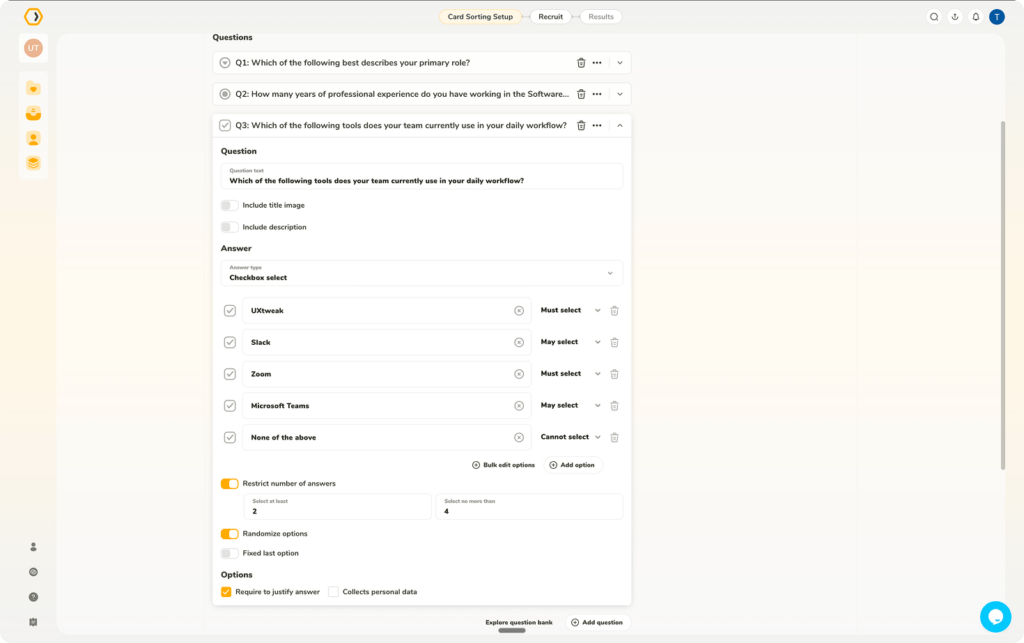
👉 Checkbox select: you have the ability to set specific rules like “May select,” “Must select,” and “Cannot select” enabling advanced screening.
To protect your study from order bias and low-effort responses, the new update supports the full controls you are familiar with from all other UXtweak questionnaires.
You have the ability to randomize question options and turn on the answer justification.
You also have the ability to restrict the number of picked answers if needed.
Managing and reusing your screeners
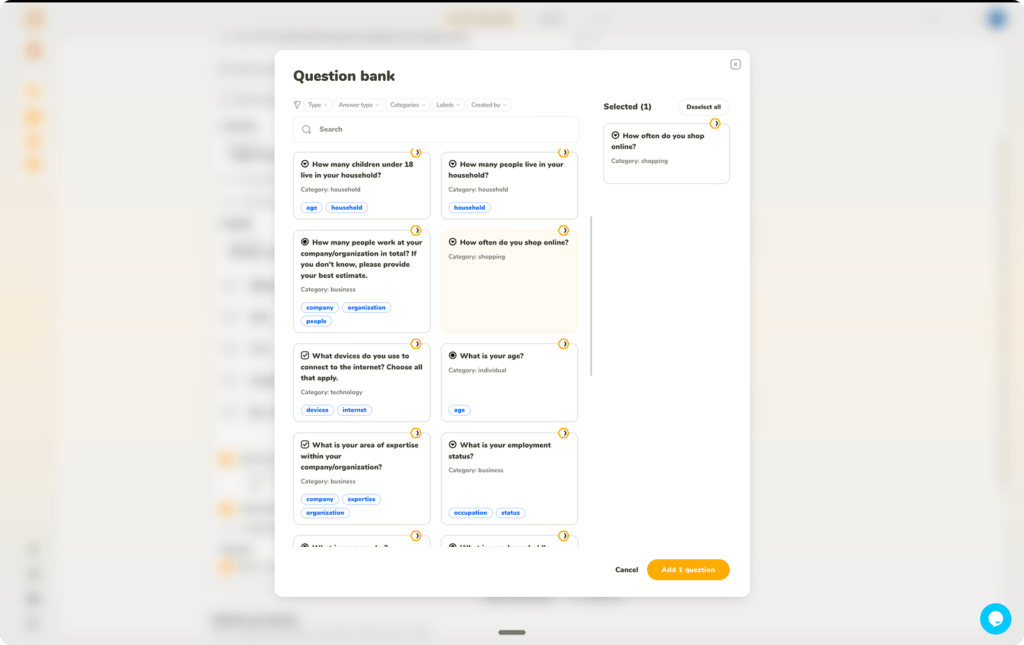
Don’t forget, you can easily import your premade questions from outside the platform or speed up your workflow by using our question bank.
You can add your own questions saved in the question bank, or save the questions you create in the bank to reuse later on.
Finally, we have also rolled out various smaller improvements under the hood.
Create your study now to try out the improved multistep screening! 🐝