Hi UXtweakers 🐝
We’ve released a new batch of updates focused on your post-study workflows:
- Reworked transcripts with notes, highlights, and tags
- Easier ways to share findings from Insights
- Clearer recruiting data in Own Database
Here’s what’s new.
Reworked transcripts and video player
Analyzing an interview shouldn’t mean bouncing between the recording, a notes doc, and a spreadsheet. The Transcript tab has been reworked into an analysis space, built directly around your recording.
Here are just a few of the things you can now do:
👉 Edit the transcript inline: Fix, add, or delete text to match the dialogue exactly.
👉 Add content blocks: Drop in the same content blocks you use in the Insight Editor, right between transcript lines.
👉 Create highlights directly from the video: Select the relevant moment and click Create highlight to capture it instantly.
👉 Organize highlights with tags: Tag highlights as you create them to group related findings and make important insights easier to find later.
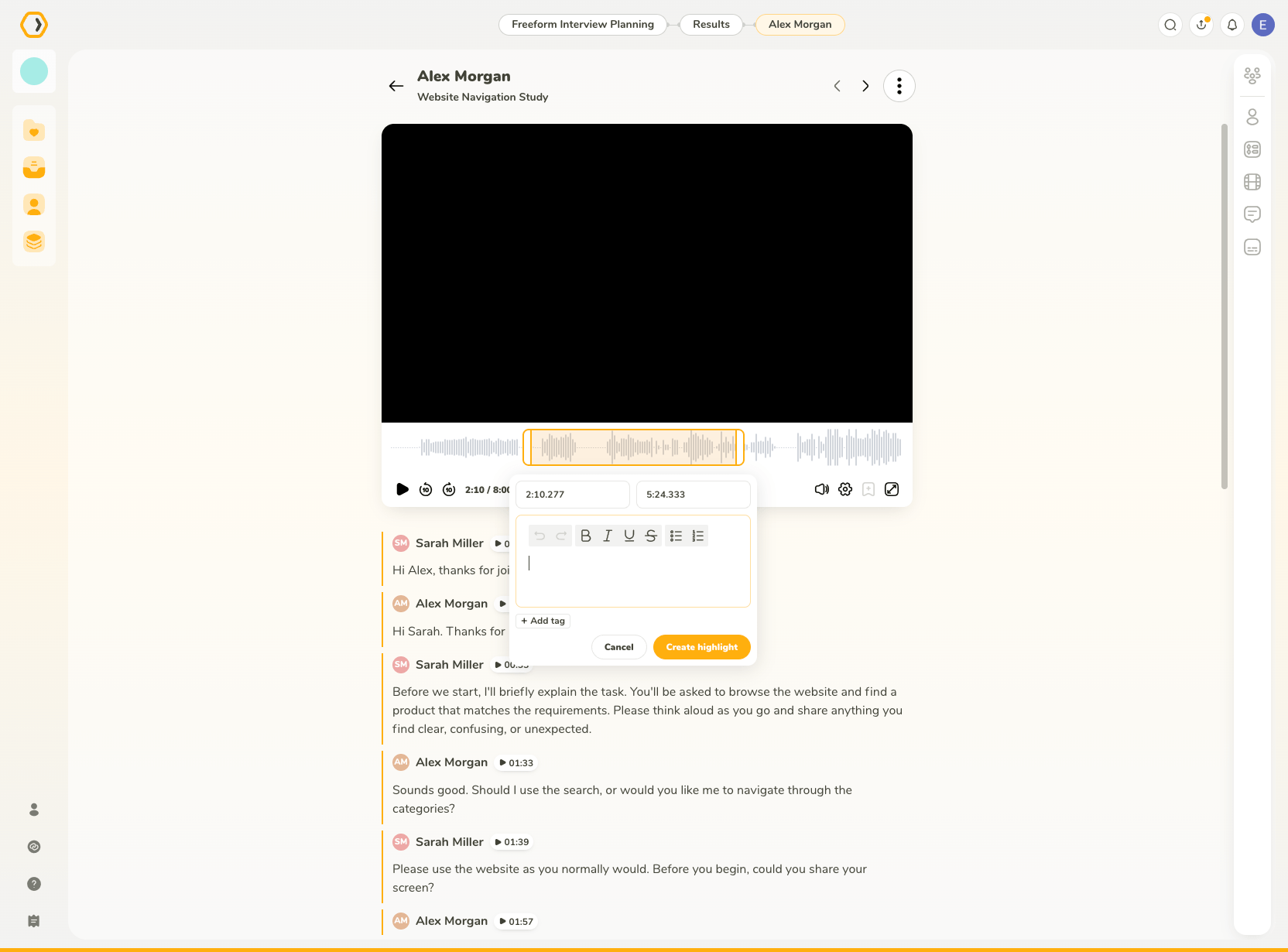
We’ve also reworked our video player and added a floating player, which can be moved to any corner, minimized, or restored so you can keep working through the transcript without losing the recording.
Try the new Transcripts or learn more about what it can do in our documentation.
Share your Insights in one click
Insights, our user research report builder, just got a major update. Once your report is ready, you can share a public link with teammates and stakeholders in a single click.
To share an Insight:
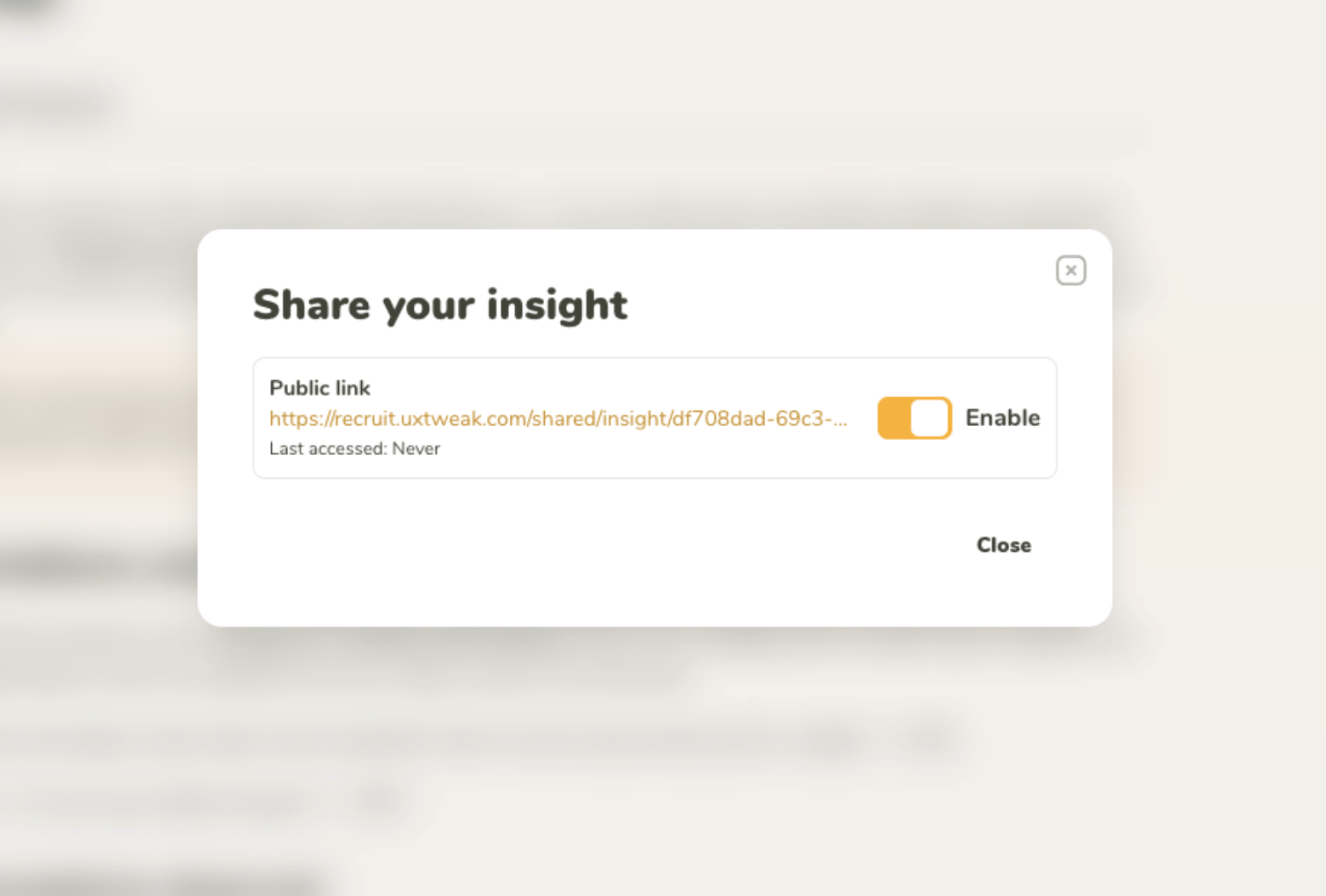
- Click Share (top-right corner).
- Toggle on Public link.
- Copy the link and send it to anyone you want.
We also added smaller improvements such as a Table of Contents, so longer Insights are easier to navigate and readers can jump straight to the section they need.
Own Database: Clearer recruiting statistics
Recruiting with our participant management solution, Own Database, now gives you better visibility into the status of your recruiting.
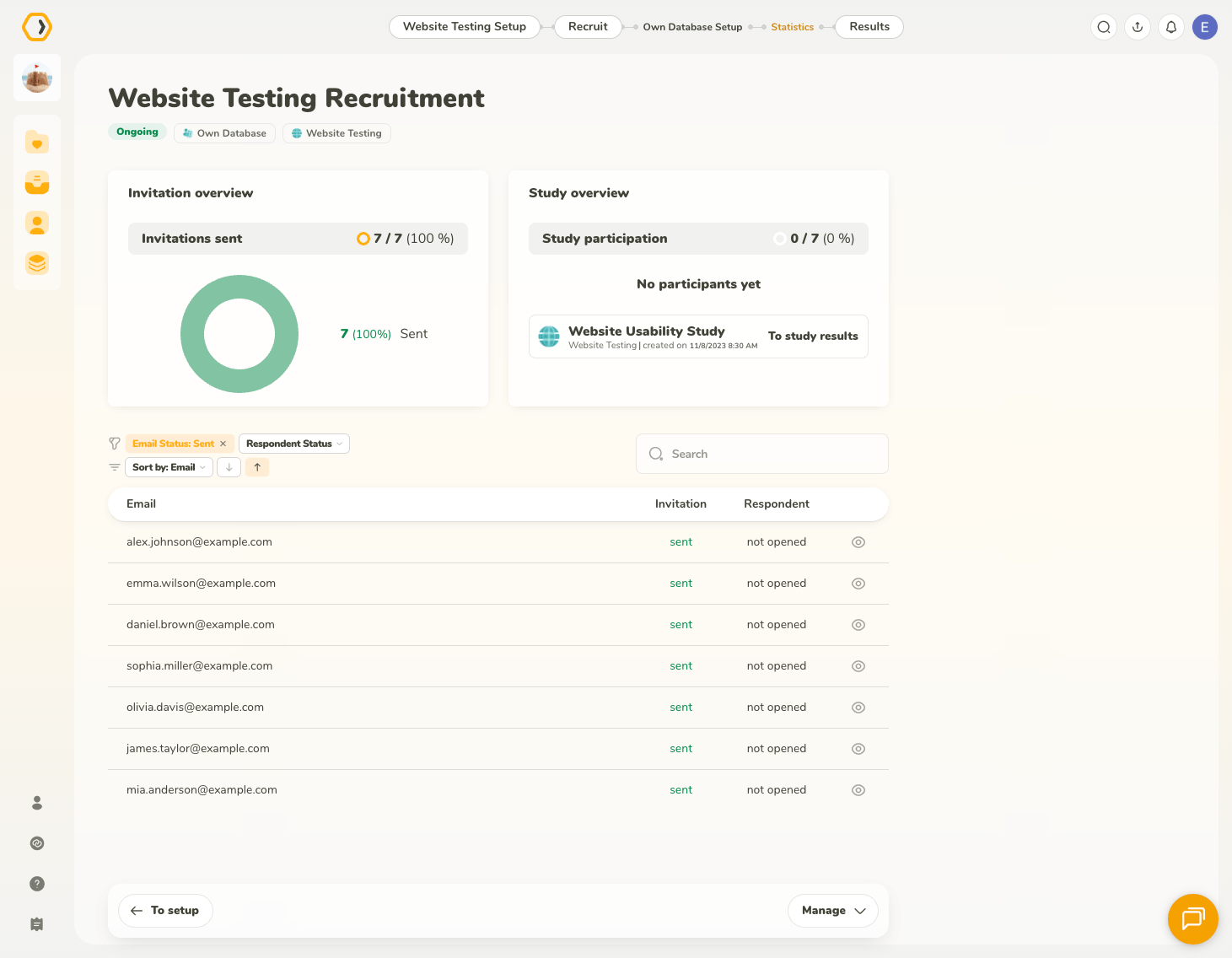
The improved Statistics view now shows exactly who’s been invited into which study, along with their current invitation and respondent status, so you always know where a recruitment batch stands at a glance.
As always, we would love to hear what you think.
Log in to try the updates now, we can’t wait to see the research stories you build! 🐝 🔧