Hey UXtweakers!
We have been busy shipping another round of updates and improvements.
This time, we focused on improving our surveys, navigation across the platform, and visibility into screened-out participants in moderated studies.
Here are some details 🐝
📋 Survey Tool Upgrade
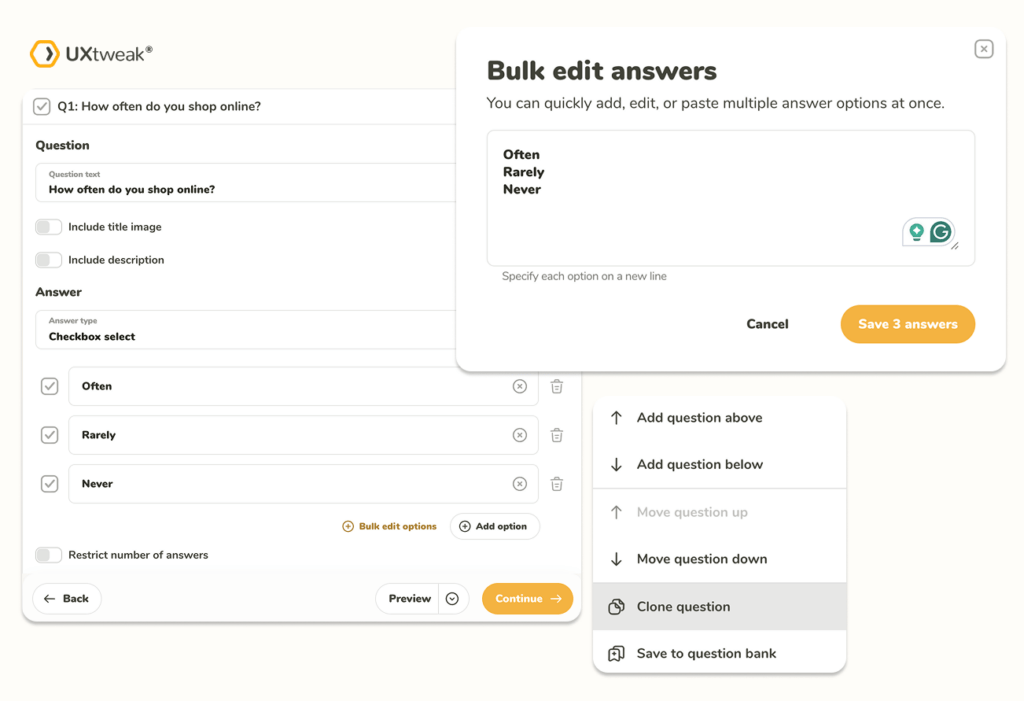
We have rolled out a significant set of survey management improvements, adding new capabilities for sections, questions, and options — making it faster and more flexible to build and edit your surveys.
- Import questions — bring in questions from existing surveys to save time building new ones
- Clone section — duplicate an entire section with a single click
- Easier adding of question above / below — insert new questions exactly where you need them in the flow
- Bulk edit options — edit all answer options for a question at once, without clicking through each one individually
- Improved validation error display — validation errors are now surfaced more clearly so you can spot and fix issues faster
- A range of technical improvements under the hood for better performance and stability
🚪 Screenouts for Moderated Studies
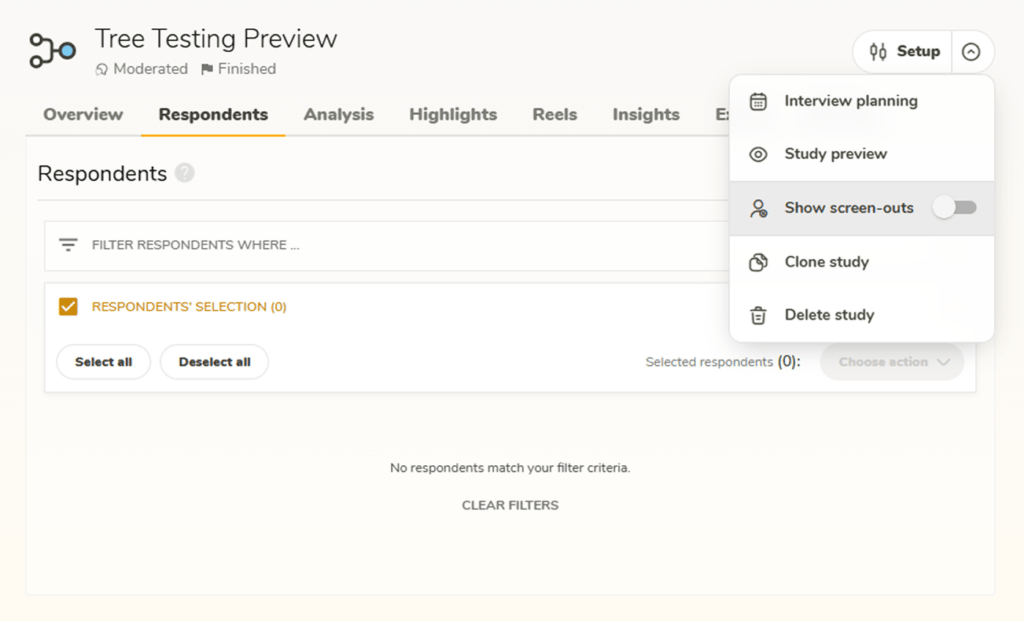
Until now, if a participant was rejected during the screening questionnaire of a moderated study, their responses were not accessible in the results.
On the participant list page, you can toggle a new option to view all participants who were screened out. This gives you full visibility into their screening answers, helping you understand who was filtered out and why.
Note: The screenout toggle appears automatically once you have at least one screened-out participant.
💬 Redesigned Question Response Views
We have rebuilt how question responses are displayed across all 13 question types we support. The most significant improvements are in the single-participant view, where answers are now presented more clearly and consistently.
Alongside this, we made a number of cosmetic UI refinements and fixed several bugs identified during testing.
🧭 Improved Navigation With Two-Level Breadcrumbs
Breadcrumbs are now two levels deep. When you are inside a recruitment detail that has an assigned target study, that study’s information is reflected in the top-level breadcrumb — so you always know exactly where you are and what you are working with.

🔗 Filter Settings Synced to URL
Filter settings are now synchronized with the page URL. This means:
- Refreshing the page preserves your active filters
- Hitting the browser back button restores the previous filter state
- You can bookmark a filtered view and return to it later exactly as you left it
💡 Pro Tip
Use bookmarked filtered views to quickly jump into recurring research setups — save your most-used filters as bookmarks and get back to work faster.
As always, we would love to hear what you think.
If you run into anything or have feedback, let us know via the in-app feedback button 🐝